
GoAnywhere MFT vs. SolarWinds Serv-U
In a data-driven enterprise landscape, where operational agility is tied directly to data mobility, securing and orchestrating file movements across distributed networks is no longer about just checking off boxes for IT. Instead, it should be considered a core business dependency. Organizations today face a challenging balancing act: they must satisfy strict compliance standards like PCI DSS, HIPAA, and FISMA, protect multi-cloud architectures against complex cyber threats, and maintain peak infrastructure efficiency without breaking budgets.
Choosing the right Managed File Transfer (MFT) infrastructure requires looking past simple file transport to find the specific sweet spot where your security requirements align with your actual engineering scale. This head-to-head analysis compares Fortra’s GoAnywhere MFT and SolarWinds Serv-U, and highlights the explicit architectural capabilities, hidden limitations, and operational trade-offs of both solutions to help you make an informed infrastructure choice.
GoAnywhere MFT - The Global Standard for Secure Managed File Transfer

GoAnywhere has been named an MFT Leader by G2 for 7 consecutive years

Serves 4,000+ customers in 100+ countries

MFT experts deliver secure IT solutions and responsive customer service worldwide
Compare and See for Yourself
Unlike Serv-U MFT, GoAnywhere excels in technical flexibility, offering deep data manipulation (ETL) capabilities, native support for legacy infrastructure like IBM i, and secure tamper-evident logging, making it a stronger fit for organizations that need scalable, automated, and compliant managed file transfer rather than a standalone file transfer server.
GoAnywhere Offers These Distinct Advantages Over Serv-U:
| Capability | GoAnywhere | SolarWinds Serv-U |
|---|---|---|
| Enterprise workflow automation & distributed execution (agents behind firewall) | Yes | No |
| Native ETL / data transformation (in platform) | Yes | No |
| Predictable licensing & operating budget control | Yes | No |
| Native database integration (SQL Server, Oracle, DB2, MySQL, PostgreSQL) | Yes | No |
| Tamper evident audit logging (non-repudiation) | Yes | No |
| B2B protocol support (AS2 / AS4 / PeSIT) | Yes | No |
| File transfer acceleration (UDP / high speed transfer) | Yes | No |
| Enterprise deployment flexibility (cloud, hybrid, SaaS / MFTaaS) | Yes | No |
| DMZ friendly architecture + distributed agents | Yes | No |
| Native support for legacy platforms (IBM i, AIX, etc.) | Yes | No |
| Containerized environment support | Yes | No |
| Operations centric MFT administration | Yes | No |
| Secure Forms (structured data ingestion) | Yes | No |
| Secure Mail (user-driven secure file sharing) | Yes | No |
| Built-in MFTaaS (managed service option) | Yes | No |
| Client mobile app (iOS & Android) | Yes | Yes |
| Audit-ready by design (compliance orientation) | Yes | Yes |
| Anti-hammering (DoS Defense) and timed-session IP blocking | Yes | Yes |
| Bandwidth throttling, quotas, controls | Yes | Yes |
Stop Overpaying for Volume: Master Your MFT Budget.
Stop Overpaying for Volume: Master Your MFT Budget.

GoAnywhere can deliver a stronger long-term TCO than SolarWinds Serv-U for organizations that need more than basic secure file transfer. While Serv-U may be cost-effective for straightforward FTP/SFTP use cases, GoAnywhere helps reduce the total cost of ownership in more complex environments by consolidating advanced MFT capabilities:
- automation
- AS2/AS4
- Secure Forms
- Secure Mail
- database integration
- data translation
- auditing
- cloud or hybrid deployment.
All these capabilities exist withing a single platform to reduce the need for separate tools, custom scripts, manual processes, and additional infrastructure as file transfer requirements grow.
GoAnywhere’s modular and scalable approach also allows organizations to align investment with the capabilities they actually need, rather than overbuilding around a simple file transfer server or stitching together multiple point solutions as requirements expand. For teams managing high volumes, compliance obligations, trading partner workflows, or hybrid infrastructure, the TCO advantage comes from operational efficiency: fewer manual tasks, centralized administration, stronger automation, more deployment options, and less reliance on external tools to fill functional gaps.
As a result, GoAnywhere is positioned as a more cost-efficient choice for enterprise MFT programs that need to scale securely and predictably over time.
GoAnywhere Comes with These Additional Benefits:
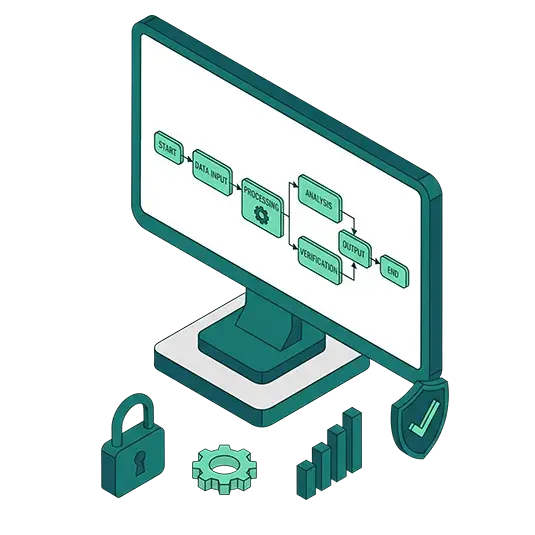
- Enterprise-level capabilities: Enjoy scalability, reliability, and customer-centric technical support beyond what off-the-shelf solutions can provide for seamless collaboration, integration, automation, security, and administrative control.
- Robust, built-in documentation: Detailed help text is included and accessible, down to the field level.
- Deployment flexibility: On-premises, cloud, and hybrid
- Support for multiple protocols, including FTP, FTPS, HTTPS, AS2/3/4, SFTP, TCP, PeSIT, and UDP acceleration
- File acceleration via FileCatalyst Service: Speed large files from anywhere in the world (up to 10Gbps) via patented UDP-based technology for transfer speed up to 10 times faster (or more) than SFTP, FTPS or HTTP.
- Proactive security integration: GoAnywhere offers two security integrations to get ahead of cyber threats before they enter the MFT environment.
- Threat Brain for MFT: This built-in feature aggregates indicators from Fortra’s deep portfolio of cybersecurity solutions to continuously identify and block IPs with bad reputations or malicious intent before those threats enter the MFT environment.
- Global Anti-Virus: GoAnywhere can scan inbound data transfers for malware before allowing the file into your network. This security feature is critically important because modern ransomware and zero‑day threats often weaponize files during transit. Stopping malware before it ever reaches internal systems dramatically reduces breach risk, containment costs, and downstream operational disruption for cybersecurity and IT teams.
- Licensed modules: Easy-to-grasp licensing options to match the business applications your organization needs. Existing customers can even try out modules such as Advanced Workflows, Secure Mail, or FileCatalyst Service for accelerated file transfers for 30 days.
- Cloud integrations, including AWS, Azure, Google Cloud, Salesforce, SharePoint Online, Microsoft Dynamics 365, Box, and Dropbox — with no need for custom scripting.
- Secure Mail: Send messages and files as encrypted secure "packages" on an ad-hoc basis, with all activity logged for auditing and compliance. This can be done via a modern, Secure Mail add-in compatible with the new Outlook, including the web version of the application.
- Secure Folders: This module allows files to be transferred quickly between the desktop and server over HTTPS and be directly accessed by backend applications and programs.
- Encryption using strong protocols such as Open PGP, AES, AS2, AS3, or AS4, ZIP with AES, PeSIT, etc.
- Auditing and reporting to help meet HIPAA, SOX, and PCI DSS compliance requirements: FIPS 140-3, FISMA, SOC2 Type 2, AS2 Drummond certification
- Scalability to quickly ramp up to meet the needs as your organization expands, with increased file transfer bandwidth or additional pre-paired copy
- Powerful administrative controls to monitor and configure GoAnywhere from anywhere, anytime, and to apply roles-based access for enhanced security
- Web dashboard: Users can get ease-of-use with a centralized, intuitive dashboard interface
- Customer-centric support: GoAnywhere’s support spans the entire lifecycle, with Quick Start onboarding, migration assistance from SolarWinds Serv-U MFT, and access to a customer portal. From the portal, customers can download the latest GoAnywhere software, updates, release notes, and documentation, as well as manage product licenses, training, and certification.
While many file transfer solutions appear similar at first glance, a trial or demonstration can be very enlightening and help put you on the path to more secure, easy-to-use, and automated file transfers.
GoAnywhere’s Strategic Pairings Boost Your Cybersecurity Stance

GoAnywhere is unique in the MFT industry for its strategic bundling of cybersecurity solutions from Fortra’s data security portfolio for enhanced security around your most sensitive documents. These pairings include:
- SFT and Threat Protection: Thanks to a seamless integration with our Secure ICAP Gateway, this bundle allows organizations to inspect content transferred with GoAnywhere for threats and leakage. Without the risk of malware or data loss, you can be confident that the data you share and receive is free from malware and other threats. GoAnywhere can easily handle transfers of these redacted files.
- Digital Rights Management: While GoAnywhere handles the heavy lifting of moving files securely, the solution can also work side-by-side with Fortra’s digital rights management tool to help you gain more control and protection over sensitive data, defining exactly who has access to those encrypted files anywhere they travel, and at any time.
As an integral part of Fortra’s cybersecurity offerings for more than 20 years, GoAnywhere is uniquely positioned to help customers meet their diverse cybersecurity initiatives. Rather than operating as a singular, standalone MFT solution, GoAnywhere delivers secure file exchanges under the larger umbrella for a simpler, stronger, more straightforward approach to cybersecurity that covers much more than just managed file transfer.
Awards and Reviews Speak Volumes: GoAnywhere Leads in User Satisfaction
GoAnywhere MFT has been named to the Top 10 list for the 2026 G2 Best Software Award winner in the IT Infrastructure Products category.
We’re proud to be consistently recognized by the file transfer industry, as well as by third-party review sites and their real user reviews as a robust, enterprise-level secure file transfer solution.
GoAnywhere MFT has been named to the Top 10 list for the 2026 G2 Best Software Award in the IT Infrastructure Products category. G2 notes that less than 1% of vendors make their lists.
GoAnywhere is committed to continued development of the solution and in future-proofing secure file transfer for its customers, as evidenced by the reviews. Actual experience with our enterprise-level solution and evaluations from the managed file transfer industry are a key measure of our success in securely managing file transfers at rest and in motion.

Since 2020, GoAnywhere has been a G2 leader for seven consecutive years
There’s No Comparison: GoAnywhere Delivers the Easiest Secure File Transfer Solution
With GoAnywhere you don’t have to choose between ease-of-use and file transfer security. In fact, many users are surprised at just how quickly they can start transferring their business-critical files — often in about one hour from installing GoAnywhere in their organization’s environment.
From a dashboard-style interface to drag-and-drop process building, GoAnywhere is user-friendly. Not only does GoAnywhere excel at transferring files securely; it also makes the file transfer process easier for trading partners.
GoAnywhere’s Service and Support is Second to None

Whether your IT team is already adept at using file transfer solutions or is just getting started, GoAnywhere’s world-class customer service support meets you where you are at and can take your essential processes farther with:
- Built-in documentation: Complete with examples and screenshots to help clear up any questions; Dynamic functioning within the solution quickly takes you to the page you may have questions about.
- Quick Start: Walks users through setting up tasks or projects within GoAnywhere from start to finish, such as making your first transfer in Advanced Workflows.
- Phone support: Available 24x7x365
- SolarWinds Serv-U MFT migration assistance: Our team’s expertise and migration tools make the process seamless and efficient.
- Health Check: Once GoAnywhere is in place, a Health Check can analyze the security and reliability of your product configuration and guide you through any component needing adjustments for optimal use.
- Technical Account Manager: Customers can leverage MFT expert services in addition to GoAnywhere’s technical support to meet and fast track any specific needs for administering and supporting their MFT implementation.
Why Customers Switch from SolarWinds MFT
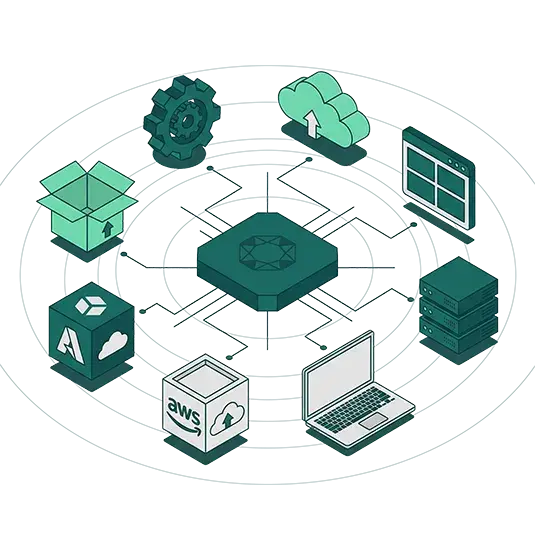
As file‑transfer needs grow more complex and security, automation, and cloud adoption become higher priorities, many organizations reassess whether their existing MFT platform can keep pace. While Serv-U is great at the standard inbound file transfers a secure FTP/SFTP server model provides, customers choose to migrate away from the platform due to friction in five specific areas:
- Compliance and security audit limitations
While Serv-U tracks end-user file transactions, it completely lacks an administrative audit trail. Also, Serv-U logs are saved as plain-text files that can be edited by anyone with local OS root privileges. - Manual scripting and operational overhead
Reliance on external scripts, schedulers, or adjacent tools for complex file-processing logic - Limited protocol coverage for B2B/trading partner use cases
No support for enterprise/B2B protocols such as AS2 and PeSIT - Need to consolidate multiple tools
A Serv-U environment may require extra tools for PGP encryption, partner protocols, forms, data transformation, database-driven workflows, or secure user-driven sharing. - Cloud, hybrid, or MFTaaS strategy
Only self-hosted deployment available - Limited Data Transformation (ETL)
There is minimal in-stream file processing and multi-step branching workflow logic.
These all have led customers to explore alternatives that offer greater flexibility, streamlined automation, and stronger alignment with modern infrastructure. GoAnywhere is purpose-built for automated, high-volume, system-to-system and partner file movement, with:
- Broader protocol support
- Explicit active-active clustering
- File acceleration
- Native tamper-evident logging
- Flexible deployment options
Questions IT teams often ask when deciding between GoAnywhere and SolarWinds Serv-U MFT
See Why Organizations Choose GoAnywhere Over SolarWinds Serv-U MFT
Schedule a personalized demo to see how GoAnywhere MFT delivers a more secure, easier-to-manage, and more user-friendly approach to file transfers. Explore the advantages firsthand and discover why organizations choose GoAnywhere to simplify and strengthen their MFT environment.