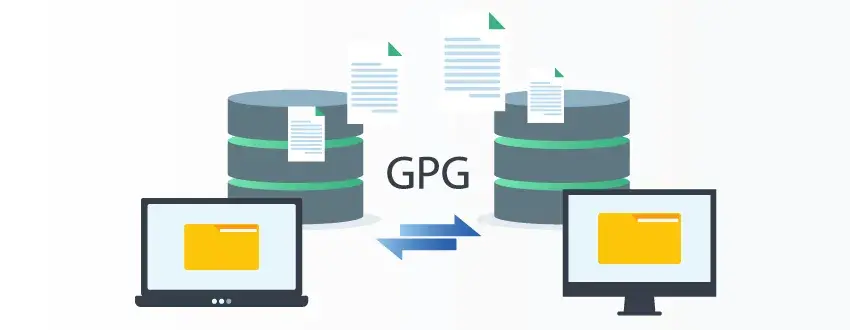
What is GPG?
GPG, also known as GNU Privacy Guard (GnuPG), is a free, open-source implementation of the Open PGP encryption standard as defined by RFC 4880. Its primary functions include encrypting files and messages, decrypting files, signing files, verifying digital signatures, and supporting secure communication.
GPG Software in Depth
GPG is an open-source standard and strong alternative to the official PGP software owned by Symantec. It was developed by Werner Koch and released in 1999 as an alternative to Symantec’s software suite of encryption tools.
It's available as a free download and is based on the Open PGP encryption standards established by the Internet Engineering Task Force (IETF). This ensures that GPG is interoperable with Symantec's PGP tools, as well as Open PGP standards.
With GPG, users can open and decrypt files encrypted by PGP and/or Open PGP, meaning it works well with other products. Because it follows the OpenPGP standards, files that are encrypted with one OpenPGP-compatible tool usually can be decrypted with or verified by another. It also provides support for S/MIME and Secure Shell (SSH). Overall, GPG provides an interface for users to easily encrypt their files. It’s widely used in automated file encryption workflows, especially in Linux and server environments.
Related Reading: PGP vs. GPG: What’s the Difference?
From A to Z: GoAnywhere Glossary
Prefer to watch instead of read? Check out this short video!
GPG Encryption
As GPG follows Open PGP standards, it provides users with free, easy-to-use file encryption. It also provides the tools needed to allow users to interface with a GUI or command line to integrate encryption with emails and operating systems like Linux.
With a combination of convenient and high-speed symmetric encryption (for the actual data) and secure key-distribution benefits of asymmetric encryption (for sharing the secret key), GPG encryption provides a high level of data protection. By transforming plain, readable text into a complex code of unreadable characters, GPG encryption provides essential privacy missing from online communication. Here’s a quick overview of how it works:
- Sender encrypts the file using the recipient’s public cryptographic key
- Recipient decrypts the file with their private key
- Sender can sign the file using their own private key
- Recipient verifies the signature using the sender’s public key
Additionally, GPG addresses the issues of data authentication and non-repudiation with the ability to "sign" files via embedded digital signatures.
GPG is often used by banks, financial institutions, healthcare organizations, and other highly regulated industries in order to protect their most sensitive files.
Related Reading: How Encryption Works: Everything You Need to Know
GPG vs. PGP vs. OpenPGP
Despite the similarities, these terms all refer to different concepts. To help users understand the distinctions and prevent them from using the terms interchangeably, here is a brief comparison:
| Term | What It Means | Primary Role |
| PGP | Pretty Good Privacy | Original encryption software/concept |
| OpenPGP | Open encryption standard | Defines how compatible tools work |
| GPG/GnuPG | Open-source software | Implements the OpenPGP standard |
Common GPG Use Cases
Some of the most frequent examples of how GPG is used include:
- Encrypting files before transfer
- Decrypting files received from partners
- Signing files to verify authenticity
- Verifying files before processing
- Securing emails or messages
- Supporting automated Linux-based workflows
- Protecting sensitive information in regulated industries
For example, financial institutions would use it to encrypt reporting files before sharing them with a partner. A healthcare organization would use it to protect patient information before an exchange.
Using MFT for GPG Decryption and Encryption
If you need to integrate your GPG encryption/decryption processes into a solution that also supports enterprise-level compliance, automation, auditing and reporting, and provides an integrated Key Management System, GoAnywhere Managed File Transfer (MFT) supports both Open PGP and GPG for encrypted file transfers. You can use GoAnywhere MFT to decrypt files that were encrypted with GPG, while your trading partners can also decrypt files (which were encrypted with GoAnywhere MFT) using GPG.
Although GPG on its own might be enough for individual users, MFT helps scale and govern encryption processes across entire enterprises who need to manage recurring file transfers, multiple partners, and compliance obligations. MFT helps businesses reduce manual scripting, improve visibility, and lower the risk of human error.
GoAnywhere MFT provides robust support for GPG, allowing you to:
- Encrypt files with one or more Public Keys
- Decrypt files with Private Keys
- Sign files with Private Keys
- Verify digital signatures in files using Public Keys
- Generate full audit logs of all PGP encryption and decryption processes
- Automate recurring GPG encryption and decryption workflows
- Centrally manage keys and encryption policies
- Trigger alerts when encryption, decryption, or verification fails
- Maintain audit trails for compliance and troubleshooting
Related Reading: How to Encrypt Files with Open PGP
Related Reading: How to Decrypt Files with Open PGP
Open PGP Studio is a free PGP file encryption tool and solution that can encrypt, decrypt, sign files, and verify documents for IT teams and users.
If you store, process, or transmit files containing sensitive information, this free PGP tool is a great introduction to discovering your encryption needs.
Start Using Open PGP Today
Open PGP Studio is a free PGP file encryption tool and solution that can encrypt, decrypt, sign files, and verify documents for IT teams and users.
If you store, process, or transmit files containing sensitive information, this free PGP tool is a great introduction to discovering your encryption needs.