
GoAnywhere MFT vs. IBM Sterling Secure File Transfer
IBM Sterling is a capable, established choice for organizations with demanding point-to-point transfers, Connect infrastructure, EBICS requirements, or extensive B2B operations. But more capability does not always mean a better operational fit. While IBM Sterling has a long history supporting large-scale B2B data exchange environments, many organizations find its architecture complex, difficult to maintain, and costly to expand.
IBM Sterling is a consolidated platform for gateway transfers, point-to-point exchanges, edge security, monitoring, and governance. These functions are associated with multiple Sterling technologies, including Sterling File Gateway, Connect, Secure Proxy, and Control Center Monitor.
MFT Focus over Complexity
GoAnywhere MFT takes a more focused approach. Secure managed file transfer, workflow automation, partner access, auditing, reporting, APIs, data processing, and administrative controls are brought together in one browser-based MFT interface. Optional modules allow organizations to expand the platform as requirements grow rather than adopting every capability from the beginning.
For IT teams that want to automate file movement, eliminate scripting processes, support hybrid infrastructure, and reduce day-to-day administrative complexity, GoAnywhere provides a streamlined alternative to IBM Sterling MFT.
GoAnywhere MFT - The Global Standard for Secure Managed File Transfer

GoAnywhere has been named an MFT Leader by G2 for 7 consecutive years

Serves 4,000+ customers in 100+ countries

MFT experts deliver secure IT solutions and responsive customer service worldwide
Compare and See for Yourself
IBM Sterling offers broad enterprise capabilities, but GoAnywhere brings no-code workflow automation, centralized administration, and IBM i support into a more unified MFT experience. Its modular licensing and flexible deployment make it easier to control costs and build highly integrated workflows without managing a complex multi-component stack.
GoAnywhere Offers These Distinct Advantages Over IBM Sterling:
| Capability | GoAnywhere MFT | IBM Sterling MFT |
|---|---|---|
| Unified MFT platform with centralized administration | Yes | No |
| No-code / low-code workflow automation | Yes | Limited; often requires specialized configuration |
| Drag-and-drop workflow designer | Yes | No |
| Fast deployment and implementation | Yes | No |
| Lower infrastructure requirements | Yes | No |
| Simplified partner onboarding | Yes | No |
| Secure Forms (structured data ingestion) | Yes | No |
| Secure Mail (user-driven secure file sharing) | Yes | No |
| AWS Marketplace BYOL images | Yes | No |
| Distributed agent‑based execution (behind firewall) | Yes | Limited; requires separate IBM products or architecture |
| Native tamper-evident logging | Yes | No |
| Client mobile app (iOS & Android) | Yes | No |
| Bandwidth throttling and storage quotas | Yes | No |
| Replace manual or scripted processes | Yes | No |
| Predictable licensing | Yes | No |
| Native file transfer acceleration | Yes | No |
| Simplified upgrades and maintenance | Yes | No |
| Native support for legacy infrastructure (IBM i) | Yes | Yes |
| Native ETL / Data Translation | Yes | Yes |
Reduce Total Cost of Ownership

Enterprise organizations often discover that IBM Sterling's licensing, implementation, training, and ongoing administration requirements contribute significantly to operational expenses. Maintaining a multi-component Sterling environment frequently requires specialized expertise, longer deployment cycles, more complex upgrade projects, and additional infrastructure investments. For many organizations, these factors translate into operational costs that can be 2.5+ times higher than those of a modern, unified managed file transfer platform.
GoAnywhere MFT helps eliminate this burden through centralized administration, visual workflow automation, simplified deployment, and a unified platform architecture designed to lower ongoing operational overhead.
GoAnywhere’s granular licensing allows organizations to add capabilities like SFTP, AS2, or Secure Forms as they scale, preventing the financial waste associated with large, all-inclusive bundles. By aligning costs directly with active usage and specific functional needs, GoAnywhere offers a transparent and budget-friendly path for modern file transfer management.
Why GoAnywhere Stands Out Among IBM Sterling Competitors
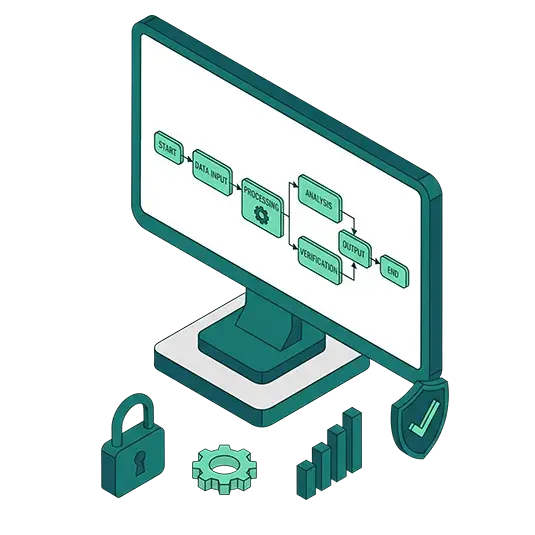
Organizations evaluating IBM Sterling competitors often want enterprise-grade security and reliability without the complexity of operating multiple file transfer, monitoring, gateway, and integration components. GoAnywhere brings secure managed file transfers, workflow automation, administration, auditing, and data processing into a more unified MFT experience.
GoAnywhere MFT comes with these additional benefits:
- Enterprise-level capabilities: Enjoy scalability, reliability, and customer-centric technical support beyond what off-the-shelf solutions can provide for seamless collaboration, integration, automation, security, and administrative control.
- Robust, built-in documentation: Detailed help text is included and accessible, down to the field level.
- Deployment flexibility: On-premises, cloud, hybrid
- Support for multiple protocols, including FTP, FTPS, HTTPS, AS2/3/4, SFTP, TCP, PeSIT, and UDP acceleration
- File acceleration via FileCatalyst Service: Accelerate the transfer of large files anywhere in the world with high-speed UDP technology, delivering speeds of up to 10 Gbps and transfer performance 10x faster—or more—than traditional SFTP, FTPS, or HTTP.
- Proactive security integration: GoAnywhere offers two security integrations to get ahead of cyber threats before they enter the MFT environment.
- Threat Brain for MFT: This built-in feature aggregates indicators from Fortra’s deep portfolio of cybersecurity solutions to continuously identify and block IPs with bad reputations or malicious intent before those threats enter the MFT environment.
- Global Anti-Virus: GoAnywhere can scan inbound data transfers for malware before allowing the file into your network. This security feature is critically important because modern ransomware and zero‑day threats often weaponize files during transit. Stopping malware before it ever reaches internal systems dramatically reduces breach risk, containment costs, and downstream operational disruption for cybersecurity and IT teams.
- Licensed modules: Easy-to-grasp licensing options to match the business applications your organization needs. Existing customers can even try out modules such as Advanced Workflows, Secure Mail, or FileCatalyst Service for accelerated file transfers for 30 days.
- Cloud integrations, including AWS, Azure, Google Cloud, Salesforce, SharePoint Online, Microsoft Dynamics 365, Box, and Dropbox — with no need for custom scripting.
- Secure Mail: Send messages and files as encrypted secure "packages" on an ad-hoc basis, with all activity logged for auditing and compliance. Securely exchange files of virtually any size without relying on email attachment limits. Available through a modern Secure Mail Add-in compatible with the new Outlook, including Outlook on the web.
- Secure Folders: This module allows files to be transferred quickly between the desktop and server over HTTPS and be directly accessed by backend applications and programs.
- Encryption using strong protocols such as Open PGP, AES, AS2, AS3, or AS4, ZIP with AES, PeSIT, etc.
- Auditing and reporting to help meet HIPAA, SOX, and PCI DSS compliance requirements: FIPS 140-3, FISMA, SOC2 Type 2, AS2 Drummond certification
- Scalability to quickly meet growing business demands with increased file transfer bandwidth and expanded system capacity
- Powerful administrative controls to monitor and configure GoAnywhere from anywhere, anytime, and to apply roles-based access for enhanced security
- Web dashboard: Users can get ease-of-use with a centralized, intuitive dashboard interface
- Customer-centric support that spans the entire lifecycle. GoAnywhere provides Quick Start onboarding, migration assistance from IBM Sterling MFT, and access to a Customer Portal. From the portal, customers can download the latest GoAnywhere software, updates, release notes, and documentation, as well as manage product licenses, training, and certification.
While many file transfer solutions appear similar at first glance, a trial or demonstration can be very enlightening and help put you on the path to more secure, easy-to-use, and automated file transfers.
Why Customers Switch from IBM Sterling
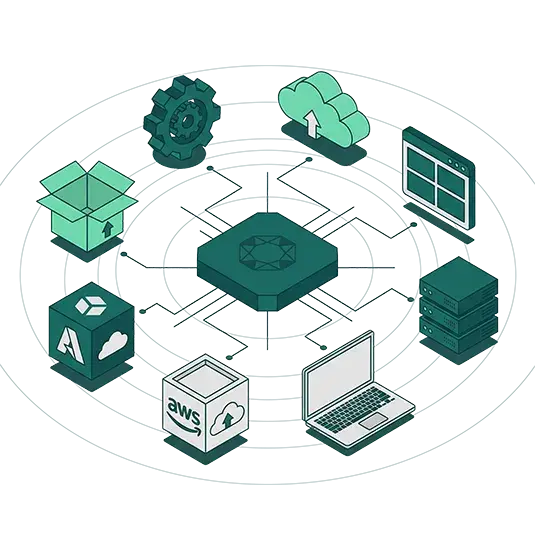
As file‑transfer needs grow more complex and security, automation, and cloud adoption become higher priorities, many organizations reassess whether their existing MFT platform can keep pace. Many start considering IBM Sterling alternatives when they want to:
- Consolidate file servers, scripts, schedulers, and manual processes.
- Reduce the number of technologies involved in routine file transfer operations.
- Replace manual or scripted processes with automated workflows
- Reduce administrative overhead through centralized administration and visibility
- Give MFT administrators a more approachable visual workflow designer.
- Integrate cloud platforms and SaaS applications without custom scripts.
- Avoid per-connection pricing for common standard protocol endpoints.
- Combine file transfer and common ETL processes in the same workflow.
- Choose between self-managed software and fully hosted MFTaaS.
- Run MFT natively on IBM i and across mixed operating systems.
- Add accelerated file transfer without adopting an unrelated workflow platform.
- Expand functionality gradually through modular licensing.
These all have led customers to explore alternatives that offer greater flexibility, streamlined automation, and stronger alignment with modern infrastructure. GoAnywhere is purpose-built for automated, high-volume, system-to-system and partner file movement, with broader protocol support, explicit active-active clustering, ICAP-based AV/DLP, file acceleration, and flexible deployment options.
Still using OpenSSH and Qshell on IBM i?
More IBM i shops are switching to GoAnywhere MFT to automate, manage and log their SFTP transfers. The following checklist highlights advantages of using GoAnywhere MFT as both an SFTP client and server on IBM i.
| SFTP Client on IBM i | GoAnywhere MFT | OpenSSH |
|---|---|---|
| Set up batch file transfers without programming | Yes | No |
| Use intuitive wizards to set up trading partners | Yes | No |
| Create and manage SSH keys in a central database | Yes | No |
| Automate file transfers with an integrated scheduler | Yes | No |
| Monitor folders for new or changed files | Yes | No |
| Authenticate batch transfers using both passwords and keys | Yes | No |
| Include (filter) files using multiple wildcard patterns | Yes | No |
| Additionally filter files using timestamps and sizes | Yes | No |
| Exclude files using wildcards, timestamps and sizes | Yes | No |
| Auto-retry connections to SFTP servers | Yes | No |
| Auto-resume interrupted SFTP transmissions | Yes | No |
| Encrypt or decrypt files with the Open PGP standard | Yes | No |
| Send email alerts or text messages on failures | Yes | No |
| Manage trading partners (users) in a central database | Yes | No |
| Authenticate partners without requiring IBM i user profiles | Yes | No |
| Set granular permissions and disk quotas per folder | Yes | No |
| Assign friendly names (aliases) for each IFS folder | Yes | No |
| Configure triggers to automatically process files | Yes | No |
| Predefine specific IP blacklists and whitelists | Yes | No |
| Auto-blacklist IPs from DoS and Brute-force attacks | Yes | No |
| Throttle bandwidth usage for file transfers | Yes | No |
| View user session activity in real time | Yes | No |
| Use FIPS 140-3 validated AES-256 encryption | Yes | No |
| Cluster multiple systems for active-active high availability | Yes | No |
| Generate audit trails on all file transfers and events | Yes | No |
| Keep inbound ports closed into the private network* | Yes | No |
*When using GoAnywhere Gateway™ reverse proxy in the DMZ, you can allow external trading partners to connect to the GoAnywhere SFTP server without requiring inbound ports into the IBM i server in the private network.
Modernize File Transfer on IBM i Without Leaving IBM i Behind

Choosing an alternative to IBM Sterling does not mean abandoning IBM infrastructure. GoAnywhere MFT can run natively on IBM i, also known as IBM iSeries, AS/400 and AS400, and enable organizations to centralize, automate, secure, and audit transfers directly from their IBM Power environment. The same GoAnywhere deployment can connect IBM i applications with Windows, Linux, UNIX, cloud storage, SaaS applications, databases, and external trading partners.
This makes GoAnywhere especially valuable for organizations modernizing IBM i file transfer processes while replacing basic FTP, OpenSSH commands, custom scripts, or a larger MFT architecture that has become difficult to maintain.
Administrators gain a browser-based interface with a visual workflow designer that streamlines automation of secure transfers instead of relying on platform-specific scripts and command knowledge for every recurring transfer.
Awards and Reviews Speak Volumes: GoAnywhere Leads in User Satisfaction
GoAnywhere MFT has been named to the Top 10 list for the 2026 G2 Best Software Award winner in the IT Infrastructure Products category.
We’re proud to be consistently recognized by the file transfer industry, as well as by third-party review sites and their real user reviews as a robust, enterprise-level secure file transfer solution.
GoAnywhere MFT has been named to the Top 10 list for the 2026 G2 Best Software Award in the IT Infrastructure Products category. G2 notes that less than 1% of vendors make their lists.
GoAnywhere is committed to continued development of the solution and in future-proofing secure file transfer for its customers, as evidenced by the reviews. Actual experience with our enterprise-level solution and evaluations from the managed file transfer industry are a key measure of our success in securely managing file transfers at rest and in motion.

Since 2020, GoAnywhere has been a G2 leader for seven consecutive years
There’s No Comparison: GoAnywhere Delivers the Easiest Secure File Transfer Solution
With GoAnywhere you don’t have to choose between ease-of-use and file transfer security. In fact, many users are surprised at just how quickly they can start transferring their business-critical files – often in about an hour from installing GoAnywhere in their organization’s environment.
From a dashboard-style interface to drag-and-drop process building, GoAnywhere is user-friendly. Not only does GoAnywhere excel at transferring files securely, it also makes the file transfer process easier for trading partners.
GoAnywhere’s Service and Support is Second to None

Whether your IT team is already adept at using file transfer solutions or is just getting started, GoAnywhere’s world-class customer support and professional services meet you where you are at and can take your essential processes farther with:
- Built-in documentation: Complete with examples and screenshots to help clear up any questions; Dynamic functioning within the solution quickly takes you to the page you may have questions about.
- Quick Start: Walks users through setting up tasks or projects within GoAnywhere from start to finish, such as making your first transfer in Advanced Workflows.
- Phone support: Available 24x7x365
- IBM Sterling migration assistance: Our team’s expertise and migration tools make the process seamless and efficient.
- Health Check: Once GoAnywhere is in place, a Health Check can analyze the security and reliability of your product configuration and guide you through any component needing adjustments for optimal use.
- Technical Account Manager: Customers can leverage MFT expert services in addition to GoAnywhere’s technical support to meet and fast track any specific needs for administering and supporting their MFT implementation.
Questions IT teams often ask when deciding between IBM Sterling and GoAnywhere
See Why Organizations Are Choosing GoAnywhere Over IBM Sterling
Schedule a personalized demo to see how GoAnywhere MFT delivers an easier-to-manage, and more user-friendly approach to file transfers. Explore the advantages firsthand and discover why organizations choose GoAnywhere to simplify and strengthen their MFT environment.